
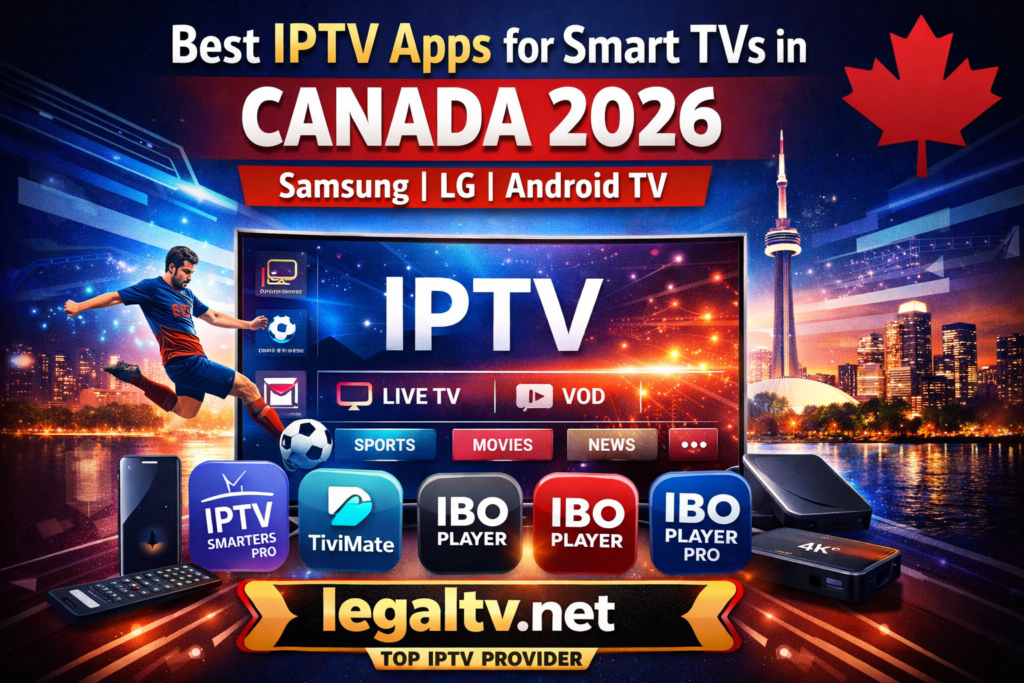
Streaming television has changed dramatically in recent years, and IPTV has become one of the most popular ways for Canadians to watch live TV, sports, movies, and international channels. With modern Smart TVs from brands like Samsung, LG, and devices powered by Android TV, installing IPTV apps is easier than ever.
In this complete guide, we’ll show you the best IPTV apps for Smart TVs in Canada in 2026, how they work, and the easiest way to start streaming today.
What Is IPTV and Why It’s Popular in Canada
IPTV (Internet Protocol Television) delivers TV channels through the internet instead of traditional cable or satellite services.
More Canadians are switching to IPTV because it offers:
- Thousands of live TV channels
- Premium sports networks
- International channels
- On-demand movies and TV series
- Lower monthly costs compared to cable
However, to watch IPTV on your Smart TV, you first need a reliable IPTV player app and a stable IPTV subscription.
Best IPTV Apps for Smart TVs in 2026
Here are the top IPTV apps compatible with Samsung, LG, and Android Smart TVs.
1. IPTV Smarters Pro
One of the most popular IPTV apps worldwide, IPTV Smarters Pro is easy to use and works perfectly with most IPTV services.
Key Features
- Clean and simple interface
- Supports live TV and VOD
- Built-in EPG (TV Guide)
- Multi-screen support
- Parental controls
Supported Devices
- Samsung Smart TV
- LG Smart TV
- Android TV
- Firestick
- Android boxes
This app is perfect for beginners who want a simple way to watch IPTV.
2. Smart IPTV
Smart IPTV is another well-known IPTV player designed specifically for Smart TVs.
Key Features
- Fast channel loading
- M3U playlist support
- Works on most Smart TVs
- Stable performance
Supported TVs
- Samsung Smart TVs
- LG Smart TVs
Many IPTV users prefer Smart IPTV because it runs directly on Smart TVs without additional devices.
3. TiviMate
TiviMate is one of the most advanced IPTV players available for Android TV.
Key Features
- Beautiful modern interface
- Advanced TV guide
- Recording support
- Multi playlist support
- Fast channel switching
Supported Devices
- Android TV
- Nvidia Shield
- Android TV boxes
TiviMate is ideal for users who want a premium IPTV viewing experience.
4. Flix IPTV
Flix IPTV is a powerful IPTV player known for its customization features.
Key Features
- Subtitle support
- Multiple language options
- External player integration
- Easy playlist management
Supported Devices
- Samsung Smart TVs
- LG Smart TVs
- Android TV
5. IBO Player
IBO Player has quickly become one of the most popular IPTV apps for Smart TVs, especially in Canada. Many users prefer it because of its smooth performance and easy activation process.
IBO Player works perfectly on most modern Smart TVs and offers a great viewing experience for IPTV subscribers.
Key Features
✔ Fast channel loading
✔ Simple and modern interface
✔ M3U playlist support
✔ EPG support (TV Guide)
✔ Works on Samsung and LG Smart TVs
One important thing to know is that IBO Player requires a one-time activation after installation.
The easiest way to activate the app and start watching IPTV is by using a reliable IPTV provider such as legaltv.net, which can provide both the IPTV subscription and the activation support needed for the app.
6. IBO Player Pro
IBO Player Pro is the upgraded version of IBO Player and is becoming extremely popular among IPTV users in 2026.
This version provides better stability, improved streaming quality, and more customization options.
Key Features
✔ Advanced IPTV player interface
✔ Faster streaming performance
✔ Compatible with 4K streams
✔ Better playlist management
✔ Improved user experience
IBO Player Pro is widely used on:
- Samsung Smart TVs
- LG Smart TVs
- Android TVs
Like the standard version, IBO Player Pro also requires activation before you can use it.
Many users choose legaltv.net because it offers:
- IPTV subscription
- Playlist configuration
- IBO Player activation support
This makes it much easier for beginners to start streaming IPTV on their Smart TVs.
How to Activate IPTV Apps on Smart TVs
Some IPTV players require activation before use. Apps like IBO Player, IBO Player Pro, and Smart IPTV usually need a one-time activation fee.
Instead of setting everything up manually, many users prefer to get assistance from an IPTV provider.
A reliable option is legaltv.net, which helps users with:
✔ IPTV subscription setup
✔ Playlist configuration
✔ App activation assistance
✔ Smart TV IPTV setup
This allows users to start streaming quickly without technical issues.
How to Install IPTV Apps on Smart TVs
Installing IPTV apps depends on your TV brand.
Samsung Smart TV
- Open the Samsung App Store
- Search for an IPTV player
- Install the app
- Add your IPTV playlist or login details
LG Smart TV
- Open LG Content Store
- Search for IPTV apps
- Install the application
- Enter your IPTV credentials
Android TV
- Open Google Play Store
- Download an IPTV player like TiviMate or IPTV Smarters
- Add your IPTV subscription
Once the app is installed, you only need an IPTV subscription to start watching.
Best IPTV Service for Canada
Choosing the right IPTV provider is just as important as selecting the right app.
For users in Canada, one of the best options available is:
This service is popular among IPTV users because it offers:
- Thousands of live channels
- Canadian and international networks
- Sports packages
- 4K and HD streaming
- Stable servers with minimal buffering
- Compatibility with all IPTV apps
Using a reliable IPTV provider ensures the best streaming experience on Smart TVs.
Tips for Smooth IPTV Streaming
To enjoy IPTV without buffering, follow these tips:
✔ Use a high-speed internet connection (at least 30 Mbps)
✔ Connect your Smart TV using Ethernet if possible
✔ Choose a reliable IPTV provider
✔ Use modern IPTV apps
✔ Restart your TV and router occasionally
These simple steps can dramatically improve your IPTV performance.
Final Thoughts
IPTV is quickly becoming the preferred way for Canadians to watch television. With the right IPTV app installed on your Smart TV, you can access thousands of channels, movies, and live sports in just minutes.
Apps like IPTV Smarters Pro, Smart IPTV, TiviMate, and Flix IPTV make it easy to stream IPTV on Samsung, LG, and Android TVs.
For the best experience, make sure you use a reliable IPTV subscription provider such as legaltv.net, which works perfectly with these apps and delivers stable streaming for viewers in Canada.